True-scale overlay
The patient's own imaging is presented in the surgeon's view at life size, positioned against the operative field rather than on a distant screen.

HoloNav is mixed-reality surgical navigation support for head and neck surgery. It places the patient's own imaging in the surgeon's view at 1:1 scale — controlled entirely with gloved hands — while judgement and accountability stay with the surgeon.
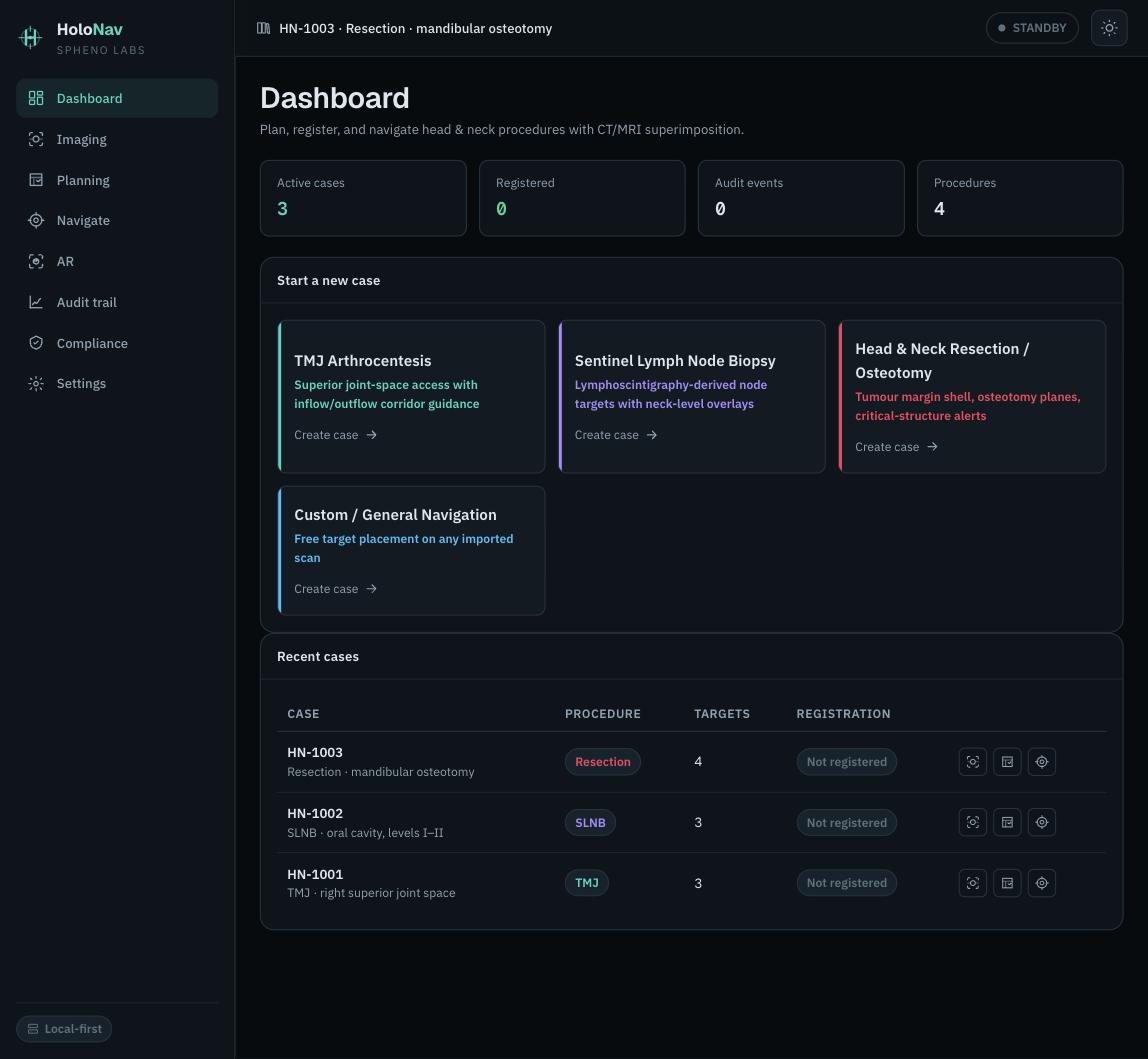
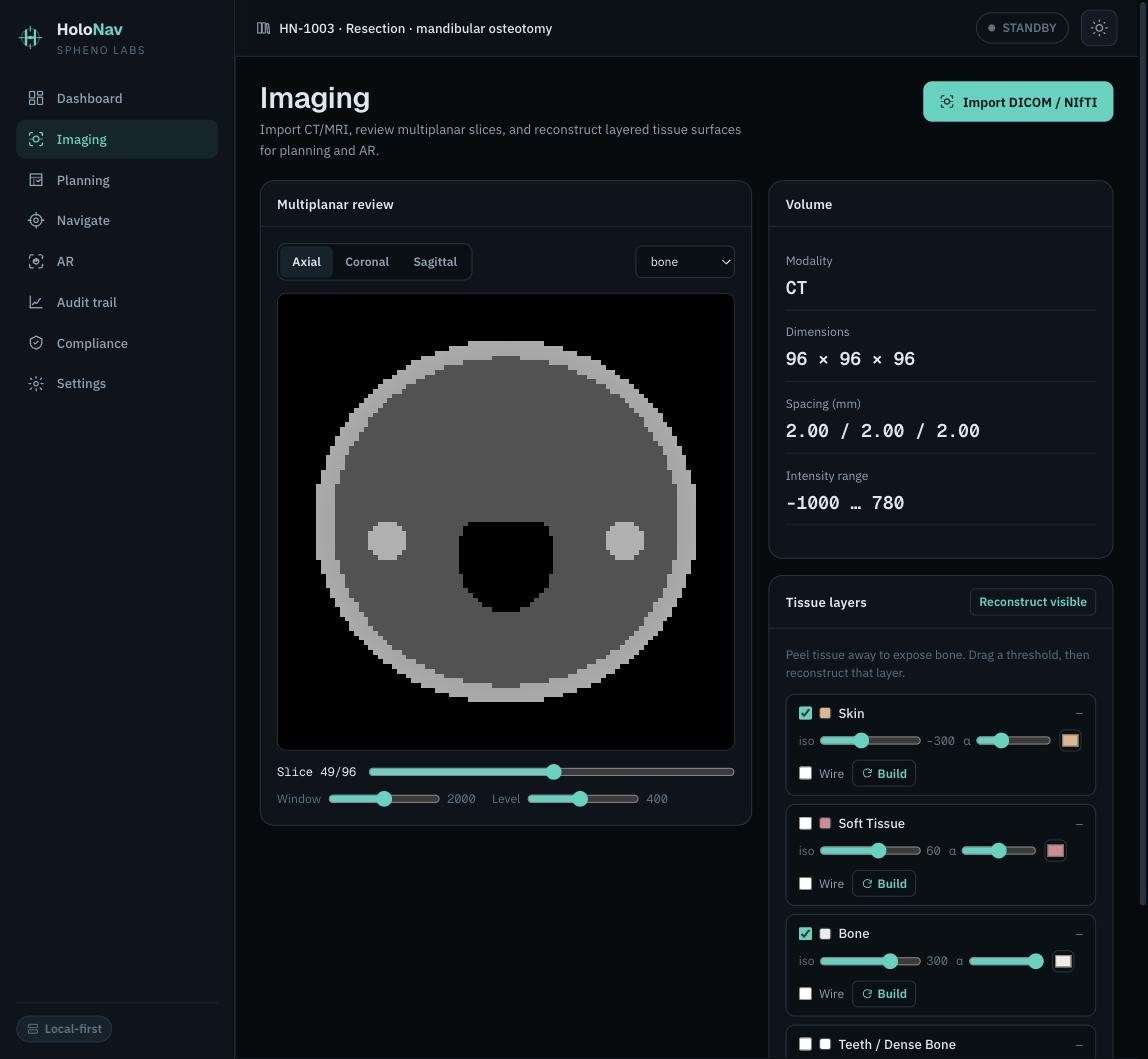
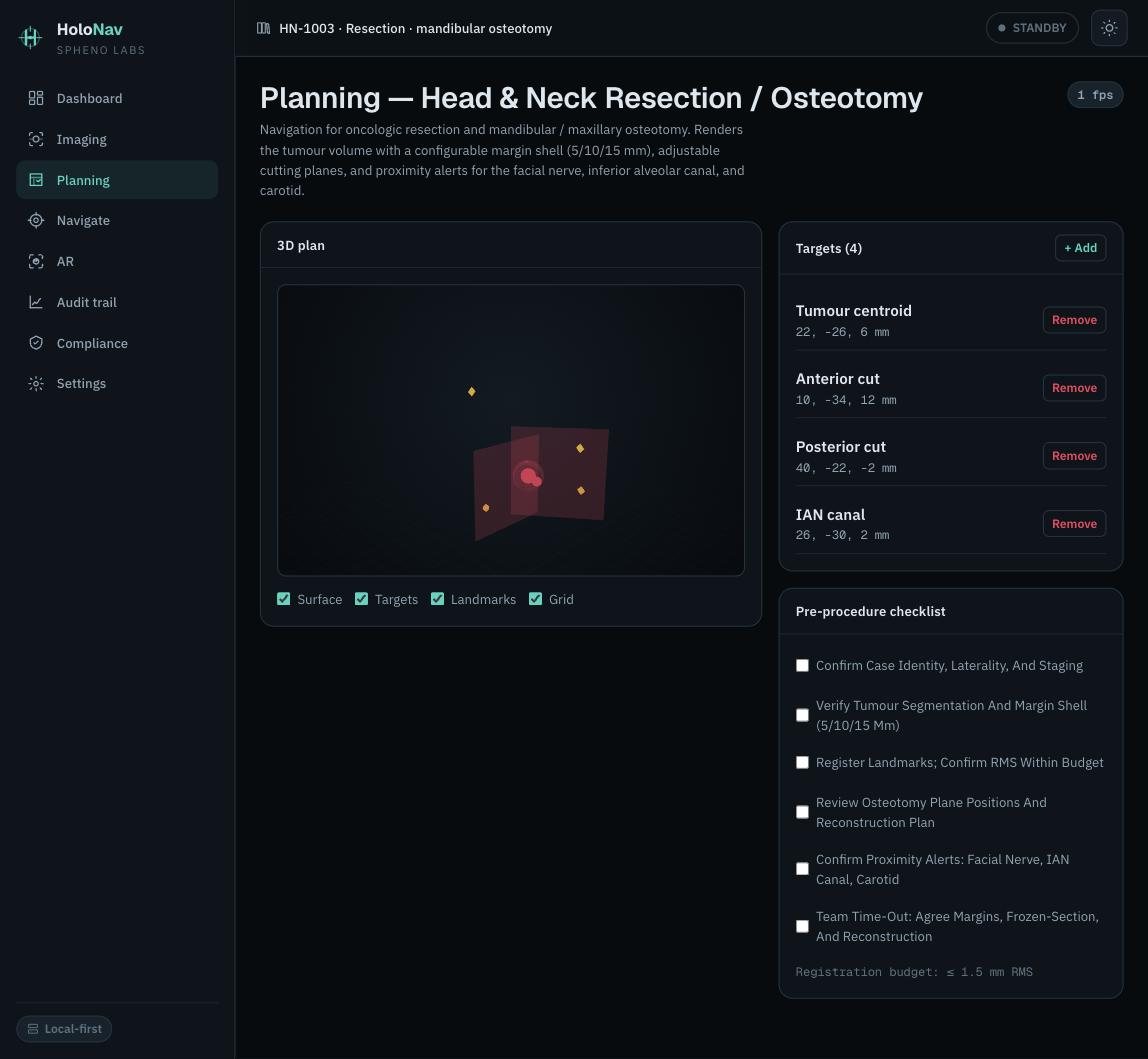
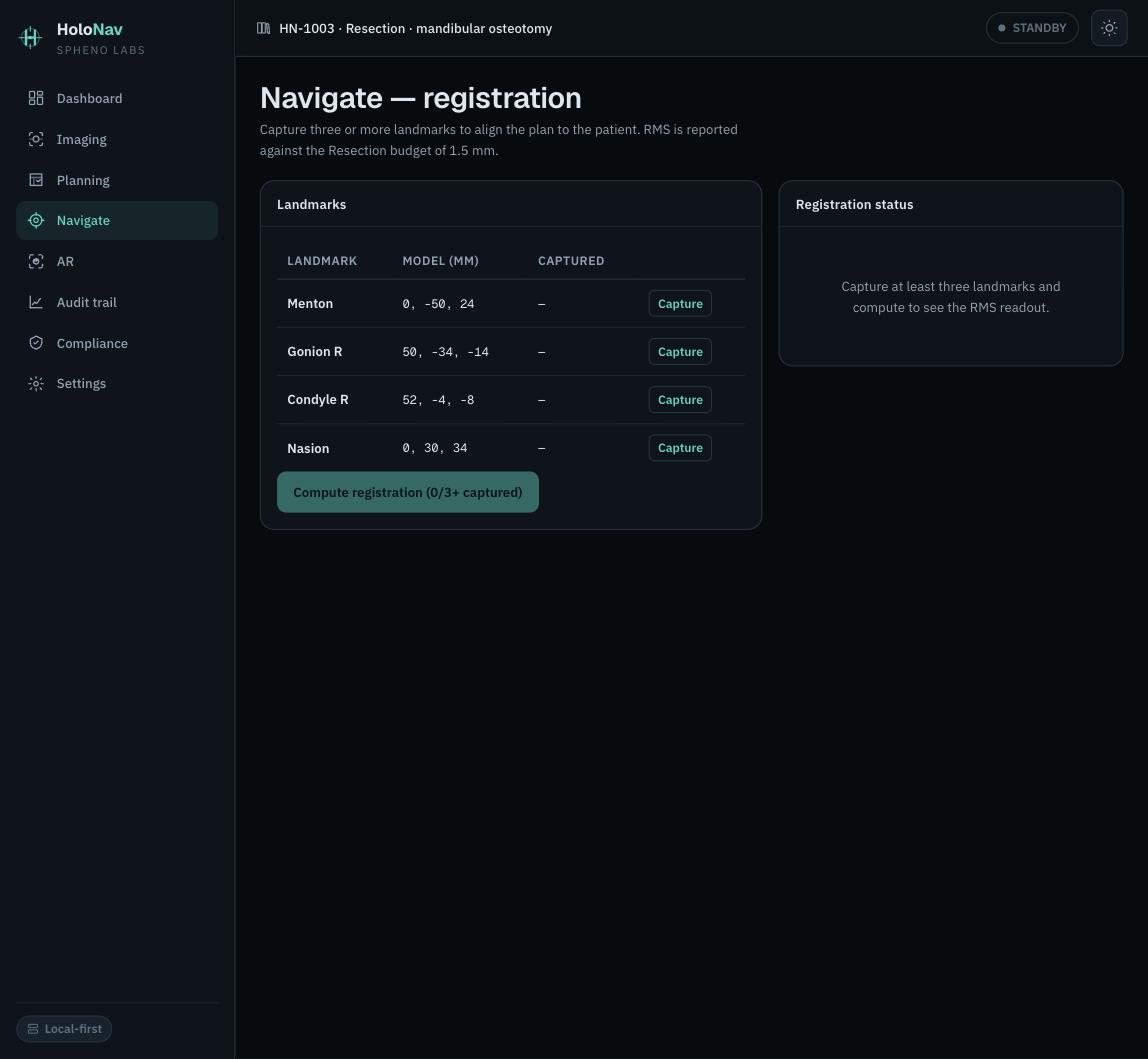

Screens from the live HoloNav console. Synthetic imaging and case data only — no patient-identifiable information.
HoloNav is designed as a surgeon-controlled product experience, not a public specification. The page describes the clinical value and safety posture without exposing implementation detail.
The patient's own imaging is presented in the surgeon's view at life size, positioned against the operative field rather than on a distant screen.
Skin, soft tissue and bone are reviewed as separate layers that can be faded or removed, so the anatomy that matters stays in focus.
Every control is designed for scrubbed hands — gesture-driven, with no controllers, keyboards or touchscreens at the table.
Alignment is proposed, reviewed and accepted by the surgeon. Navigation support never substitutes for standard anatomical checks.
The public workflow is deliberately high-level. Detailed product behaviour is not published on the open web.
The patient's routine imaging is brought into the case without extra acquisitions.
Tissue layers and the surgical plan are reviewed and locked before theatre.
The plan is aligned to the operative field, with the alignment reviewed by the surgeon.
The overlay sits in the surgeon's view, controlled hands-free with gloved gestures.
The operating surgeon remains accountable for every decision at the table.
HoloNav is positioned for head and neck surgical environments where anatomy is complex, margins are small and the cost of console-based navigation puts it out of reach. Detailed workflow design is shared only with appropriate partners.
Patient scans reviewed as tissue layers
Proposed, then reviewed by the surgeon
Gloved-hand gestures, hands-free
Surgeon review and sign-off
HoloNav supports orientation and planning in theatre. It does not direct the operation.
The overlay is an adjunct to — never a replacement for — standard anatomical checks and imaging review.
Alignment is accepted by the operating surgeon, who remains responsible throughout the procedure.
HoloNav is built and undergoing clinical validation; safety and performance evidence is published as it reads out (2026/27).
HoloNav is available for guided walkthroughs with appropriate NHS and surgical teams. Public materials intentionally avoid product implementation detail.
HoloNav is mixed-reality surgical navigation support for head and neck surgery. It places the patient's own imaging in the surgeon's view at 1:1 scale, designed around surgeon control rather than autonomy.
No. It provides visual navigation support only. It does not direct the operation and does not replace standard anatomical checks, imaging review or surgical judgement.
With gloved hands. The headset recognises the surgeon's hand gestures directly, so there are no controllers, keyboards or touchscreens to break the sterile field.
No. Public materials describe positioning, safety boundaries and clinical context only. Detailed workflow and implementation details are shared only in appropriate partner contexts.
Request a guided walkthrough through the booking page or email cs@csong.health with your organisation and role. Please do not send patient-identifiable data.
Appropriate surgical teams can review the product in context without public disclosure of product logic or implementation detail.